About maintenance
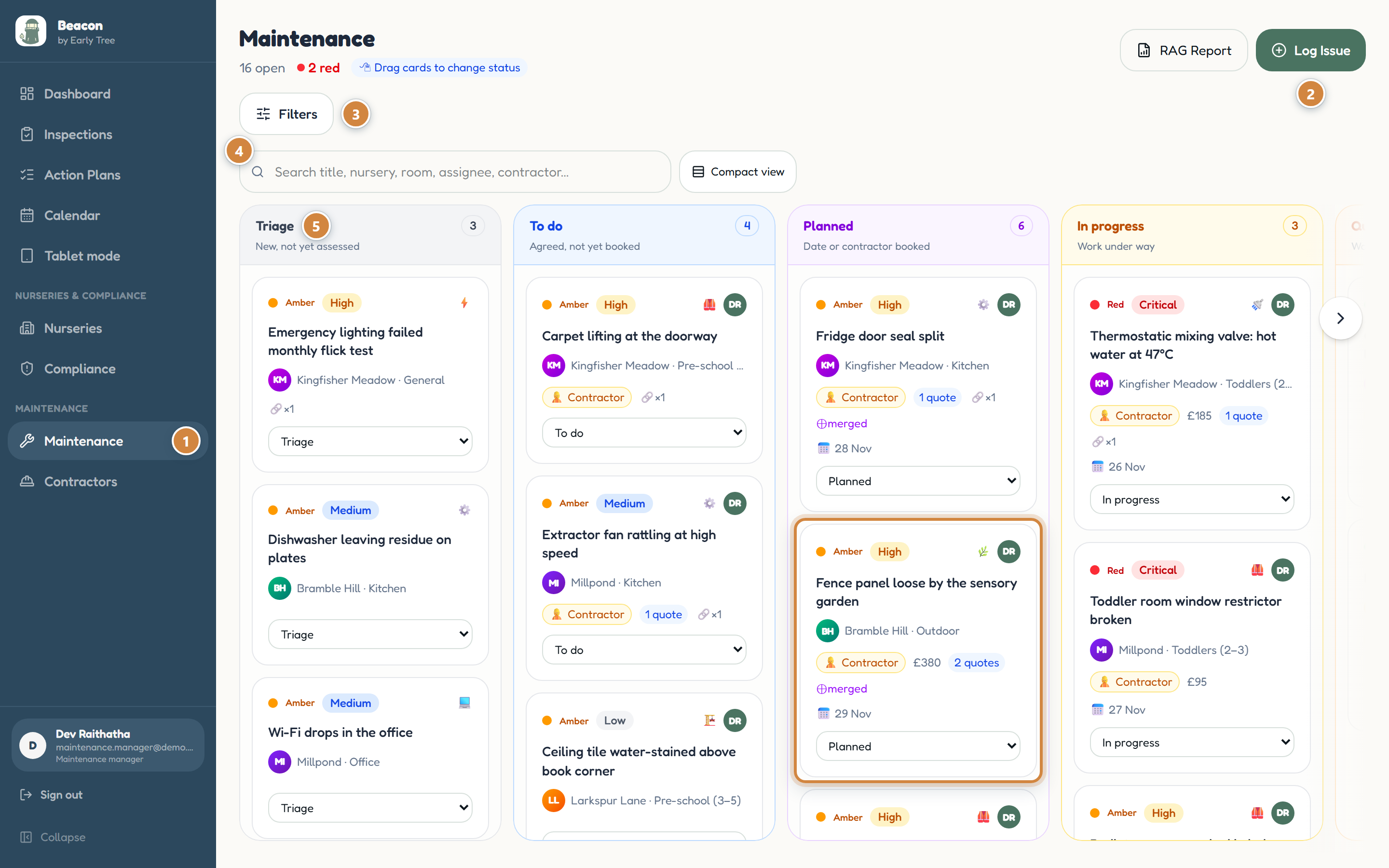
Beacon's maintenance area is where every repair and job across your nurseries is reported, sorted, priced, booked and signed off. Each job is a ticket on the maintenance board, and moves from left to right as the work gets done.
Where jobs come from
- Logged by hand. Anyone who can log maintenance selects Log Issue on the board. See Logging a maintenance job.
- From an inspection. When an inspector submits an inspection, every maintenance note they recorded (on the desktop checklist, or with Log maintenance in the room summary in tablet mode) becomes a ticket in Triage, linked to the inspection. Its priority comes from the note's severity: Urgent becomes Critical, Required becomes High, anything else Medium. See Inspections.
- From an action plan. When a report is signed off, actions in the Maintenance category that are assigned to the maintenance manager get a ticket of their own. The action is then looked after here, and closes by itself when the ticket is completed. See Action plans.
- From the compliance calendar. If your organisation uses Nina, she raises a ticket when a statutory or planned check is coming due or is overdue. See Compliance and certificates.
Statuses
| Status | What it means |
|---|---|
| Triage | New. Nobody has looked at it yet. Every new job starts here. |
| To do | Agreed. It needs doing but isn't booked. |
| Planned | A date or contractor is booked. Beacon needs a planned date before a job can move here. |
| In progress | Work is under way. Beacon needs an estimated start and end date before a job can move here. |
| Quality check | The work is done and being checked. |
| Completed | Checked and closed. Completed jobs are hidden from the board unless you tick Show completed tickets under Filters. |
RAG colours
Every ticket has a red, amber or green (RAG) colour, so the jobs that need attention stand out. Beacon works it out for you; see Priority and RAG status.
Who can do what
What you can do in maintenance depends on your maintenance access, which is set separately from your inspection role when your area support manager gives you access (see Administration).
| Maintenance access | What you can do |
|---|---|
| None | You don't see maintenance at all. |
| Read-only | See the board, tickets and the RAG report. Room leaders and auditors usually have this. |
| Contributor | Everything above, plus log new jobs. Nursery managers usually have this. |
| Manager (full) | Everything: move jobs between statuses, edit them, record and decide quotes, merge duplicates, comment, and keep the contractor list. Area support managers and maintenance managers always have this. |
People who only look after one nursery see that nursery's jobs; people with group-wide access see every nursery, plus group-wide jobs that don't belong to one nursery.
The contractor list is kept by people with Manager (full) maintenance access. See Contractors.