Maintenance: checking and completing a job
Purpose
A job isn't finished until someone has checked the work. Moving a job through Quality check to Completed records that it has been checked, closes it, and closes any action plan items that were waiting on it, so the nursery's action plan is up to date without anyone having to chase it.
Before you start
- You have Manager (full) maintenance access.
- The work has been done. Ideally someone at the nursery has looked at it.
Check the work
- When the contractor or your team says the work is done, move the job to Quality check 1 (see Moving a job through its statuses). Jobs in Quality check show as green: the work is done, and only the check is left.
- Check the work, or ask the nursery manager to. Add what you found as a comment, for example "Checked by the nursery manager, bolts tight, frame back in use".
- If it isn't right, move it back to In progress and say what's wrong in a comment.
- Record the Actual Cost (£) in Edit Details, if you know it.
Sign it off
- On the job's page, under Move to, select Completed 2.
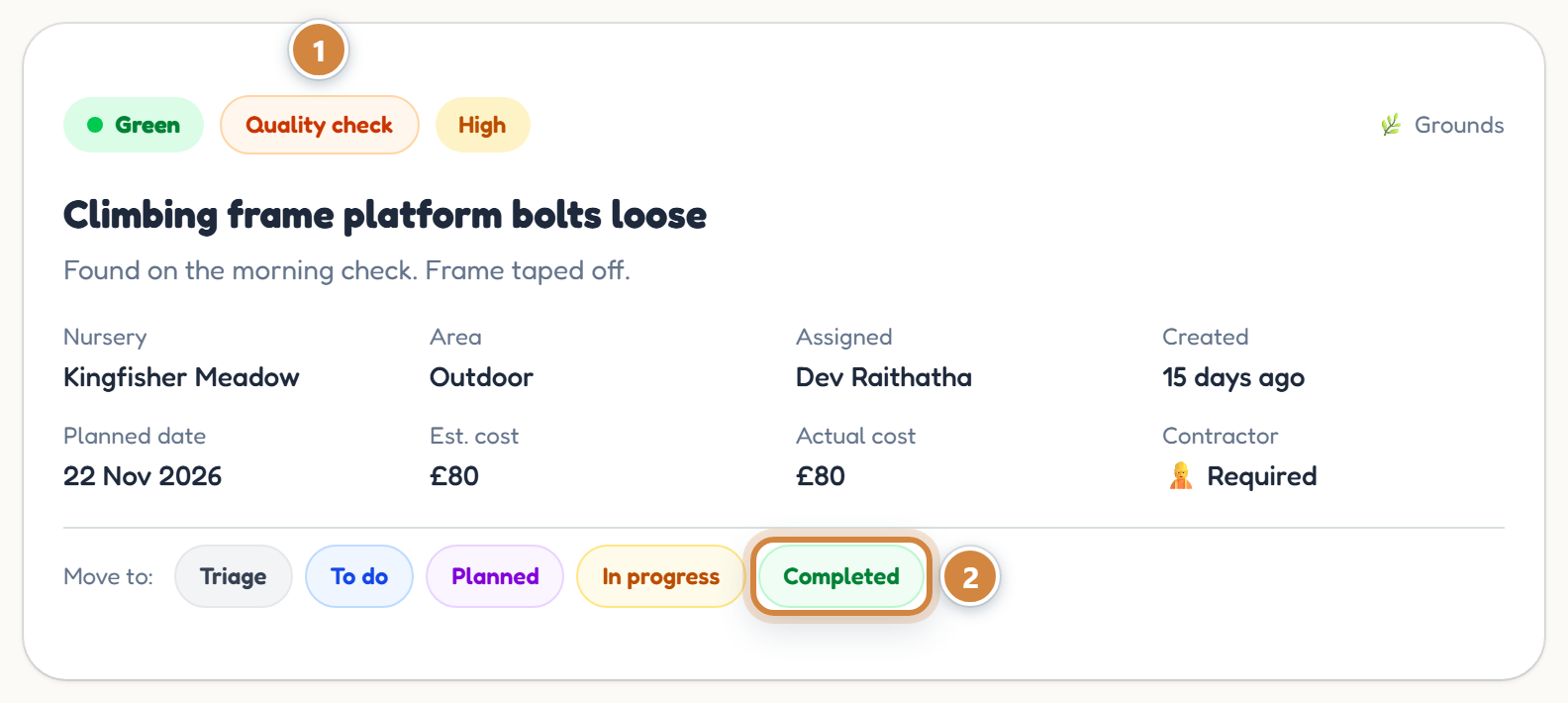
What you should see
Beacon says Moved to Completed. Beacon records today as the job's completed date, and the job leaves the board (tick Show completed tickets under Filters to see it). It counts in the Work Completed figures of the RAG report.
If the job was tracking an action plan item (for example a maintenance action from a signed-off inspection), that item is closed as Verified at the same time, and its activity says so. See Action plans.
Reopen a job
If the problem comes back soon after, open the completed job (tick Show completed tickets under Filters on the board) and move it back to the right status. Any action plan items that Beacon closed when the job was completed are reopened, so they show as outstanding again.
Common problems
- The action plan item is still open after the job was completed.
Only items linked to this job close by themselves. Beacon also checks every day and closes any it missed. If one is still open the next day, ask your area support manager to check that it's linked to this job.
- I can't find a completed job.
- Tick Show completed tickets under Filters on the board, or search for it.
- "Manager access required to update items".
- You need Manager (full) maintenance access to complete a job.