About review and sign-off
When an inspection is submitted, Beacon creates a draft report. The review team then finishes it on the review page: they write the narrative, grade the six Ofsted-style areas, record the safeguarding judgement and an internal quality grade, rate staff interviews and check the action plan. An area support manager signs it off, which locks the report, creates its PDFs and hands the action plan to the nursery.
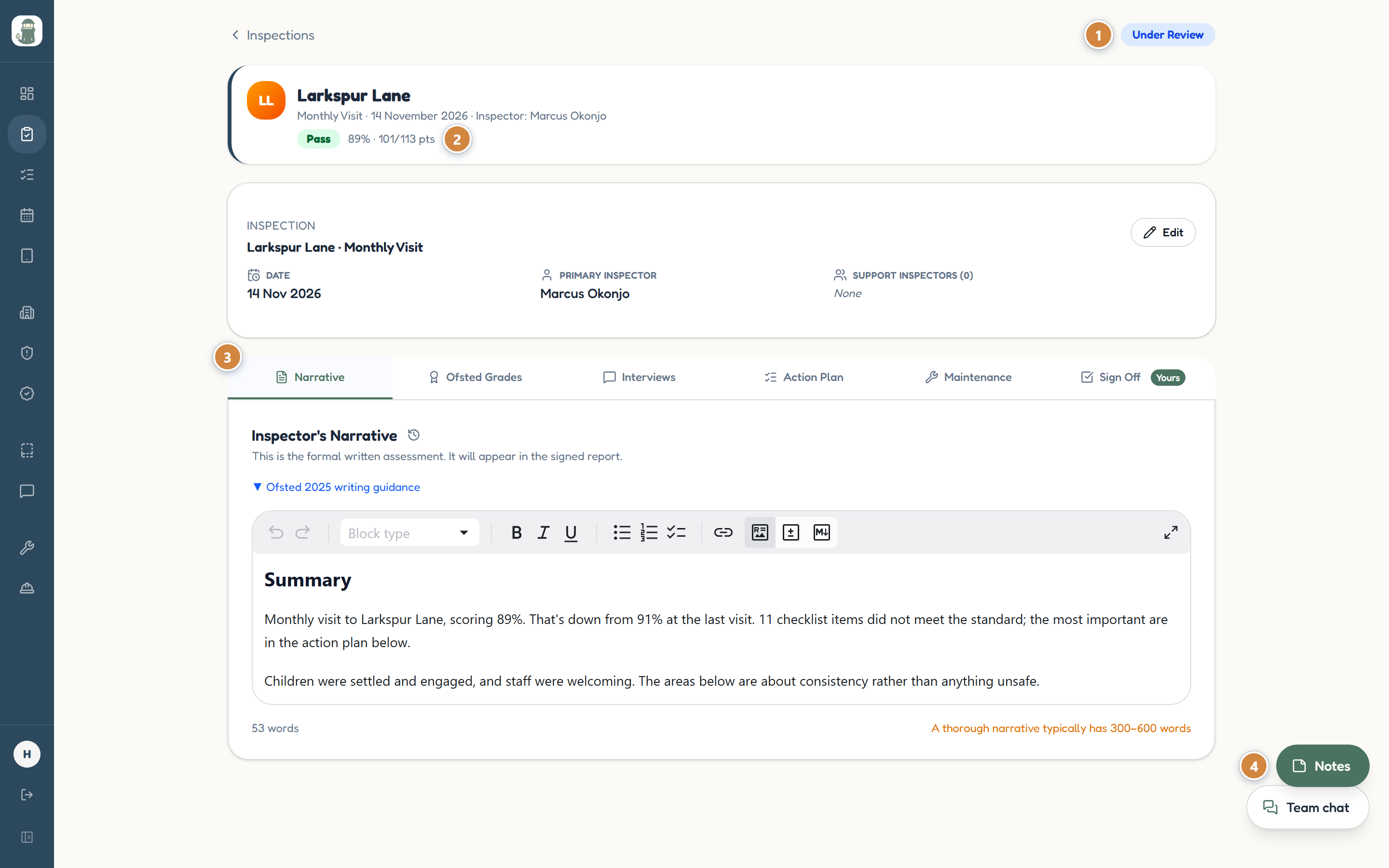
The review statuses
| Status on the review page | On the Inspections list | What it means | What happens next |
|---|---|---|---|
| Review Required | Review Required | Just submitted; nobody has started the review | A lead or manager starts reviewing |
| Under Review | Under Review | Someone has started changing the grades or narrative | A lead submits for approval, or a manager signs off |
| Awaiting Manager Approval | Awaiting Approval | A lead has submitted the review for approval; it's locked for leads | An area support manager approves and signs off, or requests rework |
| Rework Requested | Rework Required | The area support manager has asked for changes | The lead makes the changes and resubmits |
| Signed Off | the result, such as Pass · 86% | Locked; PDFs created; the action plan is live | The nursery works on its actions |
Only the first edit moves a report from Review Required to Under Review. Changing a grade or the narrative later doesn't change the status, so a report awaiting approval keeps its Approve and Request Rework buttons, and one sent back for rework keeps the manager's request on the page.
Who does what
| Area support lead | Area support manager | |
|---|---|---|
| Edit the narrative, grades, interviews, action plan and maintenance notes | Yes, until it's submitted for approval | Yes, until it's signed off |
| Submit for manager approval | Yes | Not needed |
| Approve, request rework or sign off | No | Yes |
| Delete a report | No | Yes |
Read-only auditors can look at reports in review but can't change them. Nursery managers, room leaders and maintenance managers don't see a report until it's signed off. Nobody can sign off a report from an AI app connected to Beacon: sign-off is only ever done on the review page.
The review page
The review page has six tabs:
- Narrative: the inspector's written assessment. See The narrative.
- Ofsted Grades: the six evaluation areas, the safeguarding judgement and the internal quality grade. See Grades and safeguarding.
- Interviews: rating staff answers. See Rating staff interviews.
- Action Plan: the actions the nursery will work on. See Reviewing the action plan.
- Maintenance: the maintenance issues logged on the visit. See Maintenance issues and inspection notes.
- Sign Off: the checklist, approval and sign-off. See Signing off a report.
Several people can review at once: everyone's changes appear on each other's screens.