About inspections
An inspection in Beacon is an internal quality visit to one nursery. The inspector walks round the nursery with a checklist, room by room, answers each item, takes photos, records temperature readings, notes maintenance problems and talks to staff. When the visit is finished they submit it, and it moves on to review and sign-off.
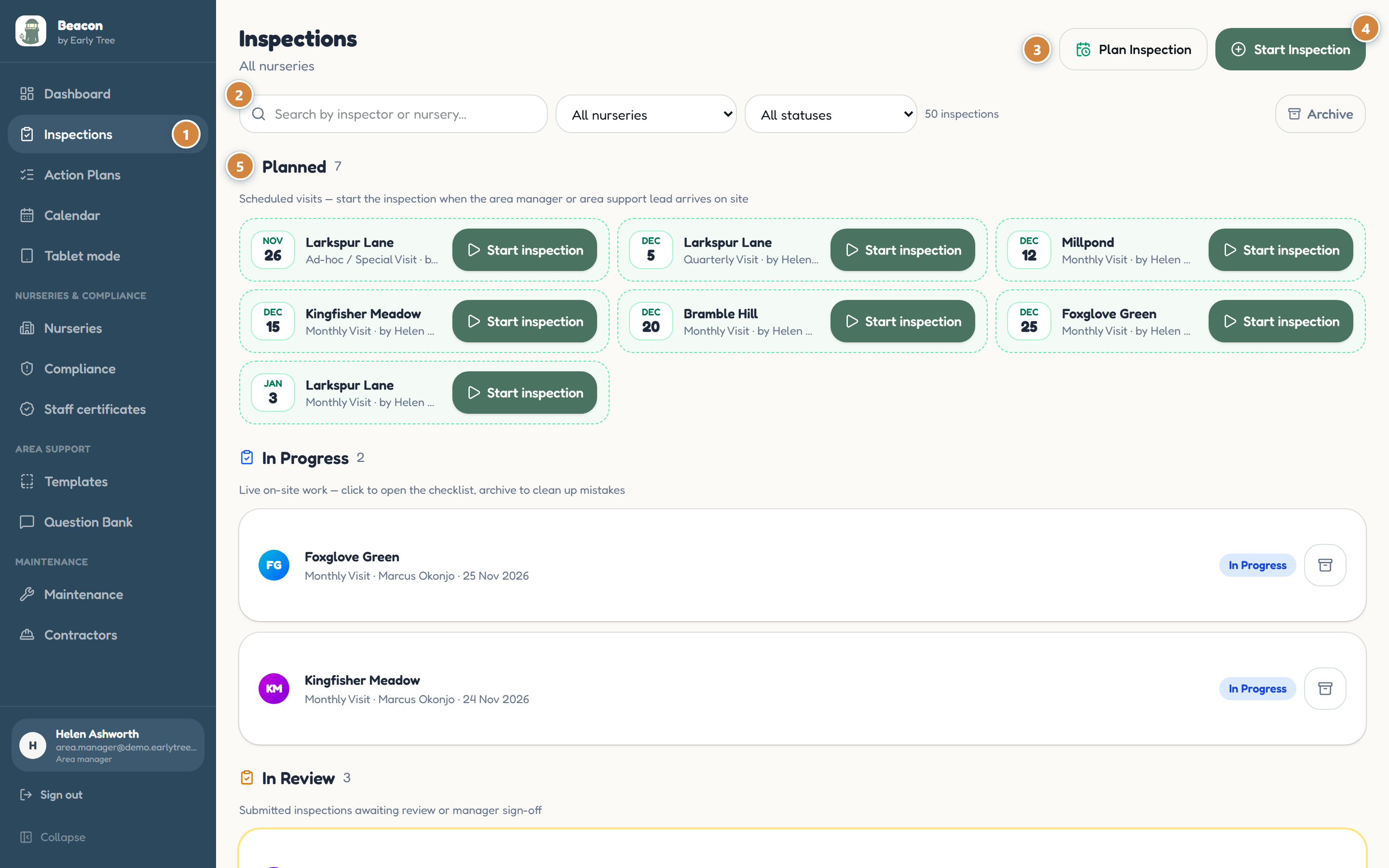
The stages of an inspection
| Stage | What it means | Where you'll see it |
|---|---|---|
| Planned | A date has been pencilled in. Nothing has been inspected yet. | The Planned section of the Inspections page, the dashboard and the calendar |
| In Progress | Someone is on site answering the checklist. | The In Progress section |
| In Review | The inspection has been submitted. A draft report exists and is being reviewed. | The In Review section, with a status such as Review Required, Under Review, Awaiting Approval or Rework Required |
| Signed off | An area support manager has signed the report off. It's locked, and its PDFs and action plan are ready. | The Signed off section, with the result, such as Pass · 86% |
Review and sign-off are covered in Review and sign-off.
Who does what
- Area support managers plan visits, start and carry out inspections, review them and sign them off. They can also archive an inspection started by mistake.
- Area support leads start and carry out inspections and review them, then send the report to an area support manager for approval.
- The main inspector named on a visit can answer its checklist and submit it, whatever their role.
- Read-only auditors can look at visits in progress and in review, but can't change anything.
- Nursery managers, room leaders and maintenance managers don't see a visit until its report is signed off. Then they can read the report and work on the action plan.
Visit types
Each inspection is one of five visit types. The type decides which checklist items are included, because every item in the template has a frequency.
| Visit type | Includes |
|---|---|
| Monthly Visit | Items checked on every visit, plus the monthly items |
| Quarterly Visit | Everything in a monthly visit, plus the quarterly items |
| Biannual Visit | Everything in a quarterly visit, plus the six-monthly items |
| Annual Visit | Everything in a biannual visit, plus the yearly items. The most thorough regular visit |
| Ad-hoc / Special Visit | Every item, whatever its frequency. For unscheduled visits, follow-ups after an incident or deep dives |
How the score works
Every checklist item has a weight. Beacon adds up the weights of the items marked Pass and divides by the weights of all the items marked Pass or Fail. Items marked N/A, and items left unanswered, don't count either way. The percentage gives the result:
| Score | Result |
|---|---|
| 80% or more | Pass |
| 50% to 79% | Fail |
| Under 50% | Immediate Action |
While you're inspecting, the panel beside the checklist shows the Predicted outcome as you go.
Guides in this section
- The inspections list
- Planning an inspection
- Starting an inspection
- Carrying out an inspection room by room
- Photos and temperature readings
- Logging maintenance during an inspection
- Staff interviews
- Inspection notes
- Working without a connection
- Submitting an inspection
- Archiving an inspection started by mistake