Getting started with Beacon
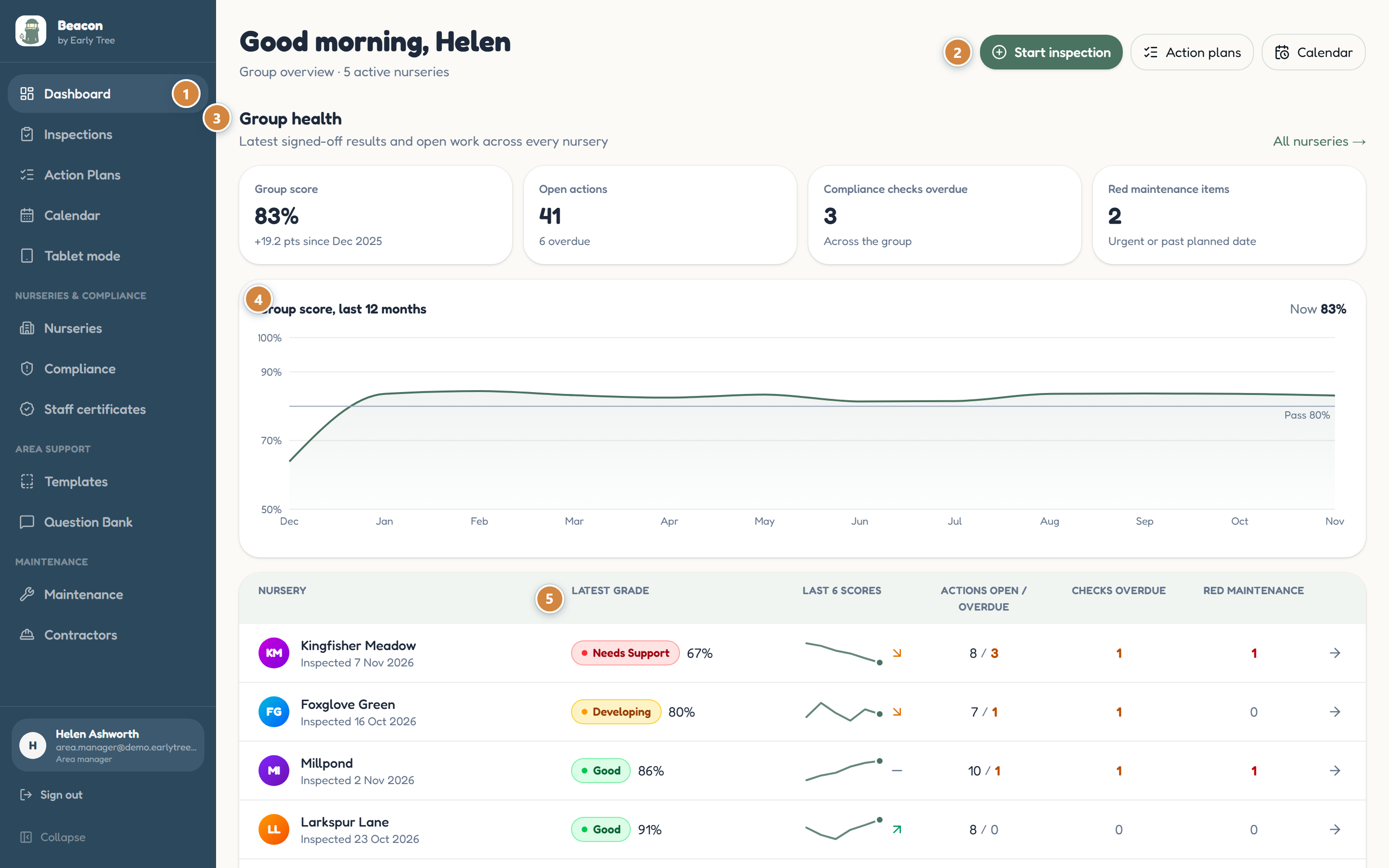
Beacon is where your organisation's internal inspections, action plans and maintenance live. It replaces paper checklists and spreadsheets with one place that everyone works from, each person seeing what their role needs.
How Beacon fits together
- An area support lead or manager inspects a nursery, room by room, on a laptop or an iPad in tablet mode: Pass, Fail or N/A for each checklist item, with photos, temperature readings and notes. See Inspections.
- The inspection is reviewed and signed off. The reviewer writes the narrative, sets Ofsted-style grades and checks the action plan. Only an area support manager can sign off. See Review and sign-off.
- The nursery works through its action plan. Each failed item becomes an action with an owner and a due date. The nursery moves it along and adds evidence; area support verifies it. See Action plans.
- Maintenance jobs are logged, triaged and done. Anyone with maintenance access can report a job; the maintenance manager triages it, gets quotes, books contractors and signs the work off. See Maintenance.
Your Beacon address
Your organisation has its own Beacon, at its own web address, usually something like
yourgroup.beacon.earlytree.co.uk. These guides say your Beacon address instead of giving a link. If you don't
know it, ask your area support manager.
Read these first
| If you want to… | Read |
|---|---|
| Sign in for the first time, or you're stuck on a waiting page | Signing in and out |
| Know what your role lets you see and do | Roles and what each can do |
| Understand the page you land on | The dashboard |
| Find things in the menu, on a computer or a phone | Finding your way around |
| Put Beacon on an iPad's home screen | Using Beacon on an iPad |
| Inspect room by room on an iPad, even without Wi-Fi | Tablet mode for inspections |
| Know how these guides work | How to use these guides |