Inspections: working without a connection
Purpose
Keep answering the checklist in rooms with a weak or no signal, and make sure every answer reaches Beacon once you're back online.
Before you start
- Open the inspection while you still have a connection, and keep the page open. Beacon can't open a page from scratch without a connection.
- Know what does and doesn't work offline:
| Works offline (kept on the device and sent later) | Needs a connection |
|---|---|
| Pass, Fail and N/A answers | Maintenance issues |
| Quick action notes on failed items | Staff interviews |
| Temperature readings | Inspection notes |
| Photos and videos | Submitting the inspection |
Answer items without a connection
- Carry on answering as normal. When the connection drops, Offline 1 shows at the top of the checklist.
- Each answer is kept on the device. Queued offline shows instead of Saved, and a count such as 1 pending sync 2 shows how many answers and photos are waiting.
- Photos you take are kept on the device too, and attached to their item once they've uploaded.
- When the connection comes back, Beacon sends everything waiting by itself. It also tries again every 15 seconds while the page is open.
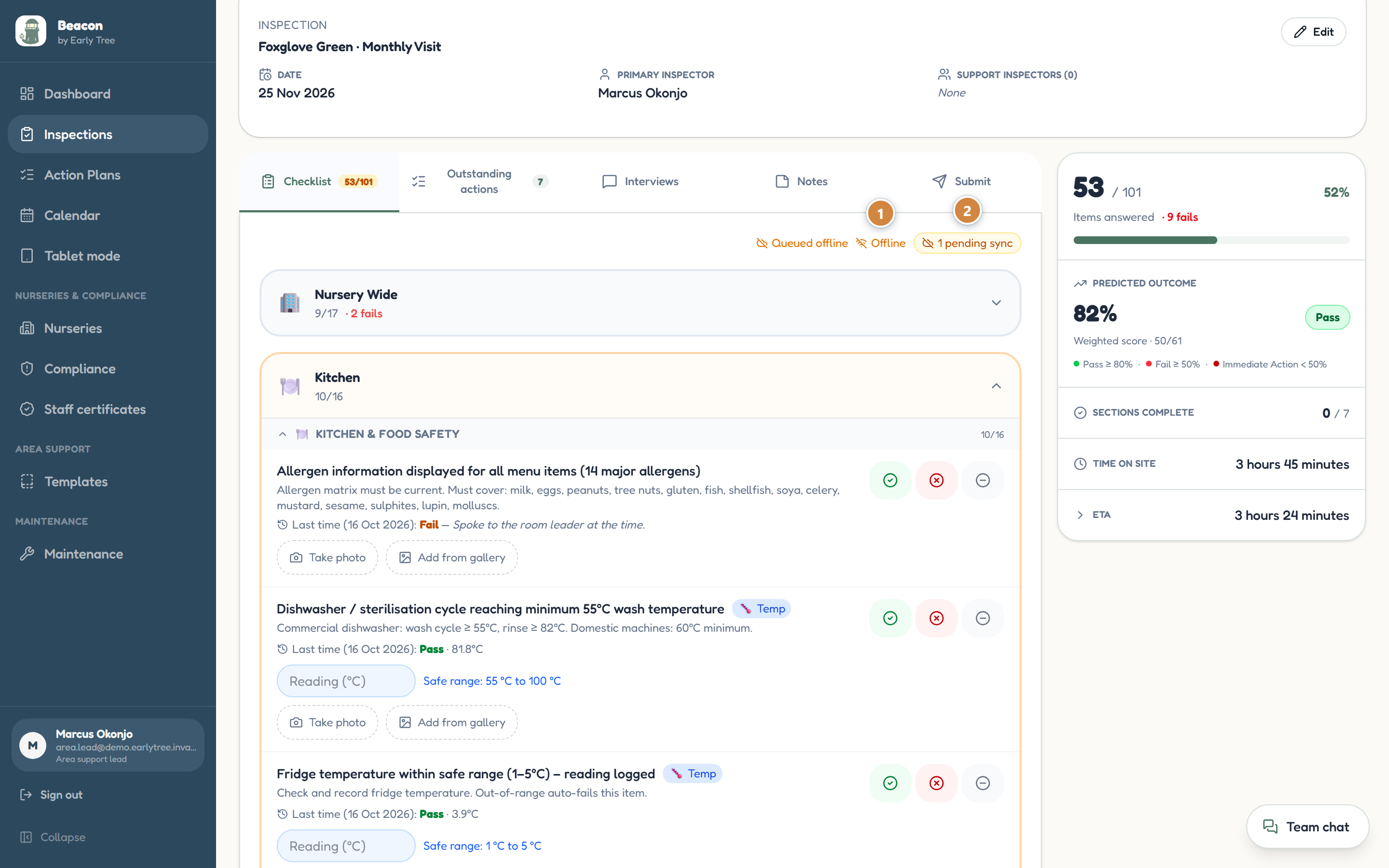
What you should see
Once you're back online, Offline goes, the pending sync count drops to nothing, and Saved shows. Every answer is now in Beacon, and colleagues on the visit can see them.
Tablet mode works the same way on an iPad.
Before you submit
When you select Submit Inspection, Beacon first sends anything still waiting on the device. If something is still waiting (you're offline, or it hasn't uploaded yet) or the server refused it, Beacon doesn't submit and tells you why. Get a connection, or fix the items marked as failed, then submit again.
Common problems
- A red "failed to save" count shows.
Beacon sent those answers but it refused them (for example, the inspection had already been submitted, or you no longer have access), so it won't try again by itself. Open each item and answer it again; if it still fails, ask your area support manager.
- The page went blank or "You're offline" when I opened the inspection.
- The page has to be opened with a connection. Find a signal, open the inspection, then carry on.
- "N changes are still uploading from this device".
- Submit waited for them but they haven't gone yet. Keep the page open with a connection until the pending count goes, then submit.
- I closed the browser before my answers were sent.
They're kept on that device. Open the same inspection on the same device and browser when you have a connection, and Beacon sends them.