Inspections: staff interviews
Purpose
Check that staff know what they need to, for example how to report a safeguarding concern or what to do in a fire, by asking questions from your organisation's question bank and recording their answers. Weak answers become actions in the nursery's action plan.
Before you start
- The inspection is in progress.
- Your area support team has set up the question bank (see Templates).
- Tell the member of staff why you're asking and that their answer is recorded. Record only what you need: their name and what they said.
Choose a question
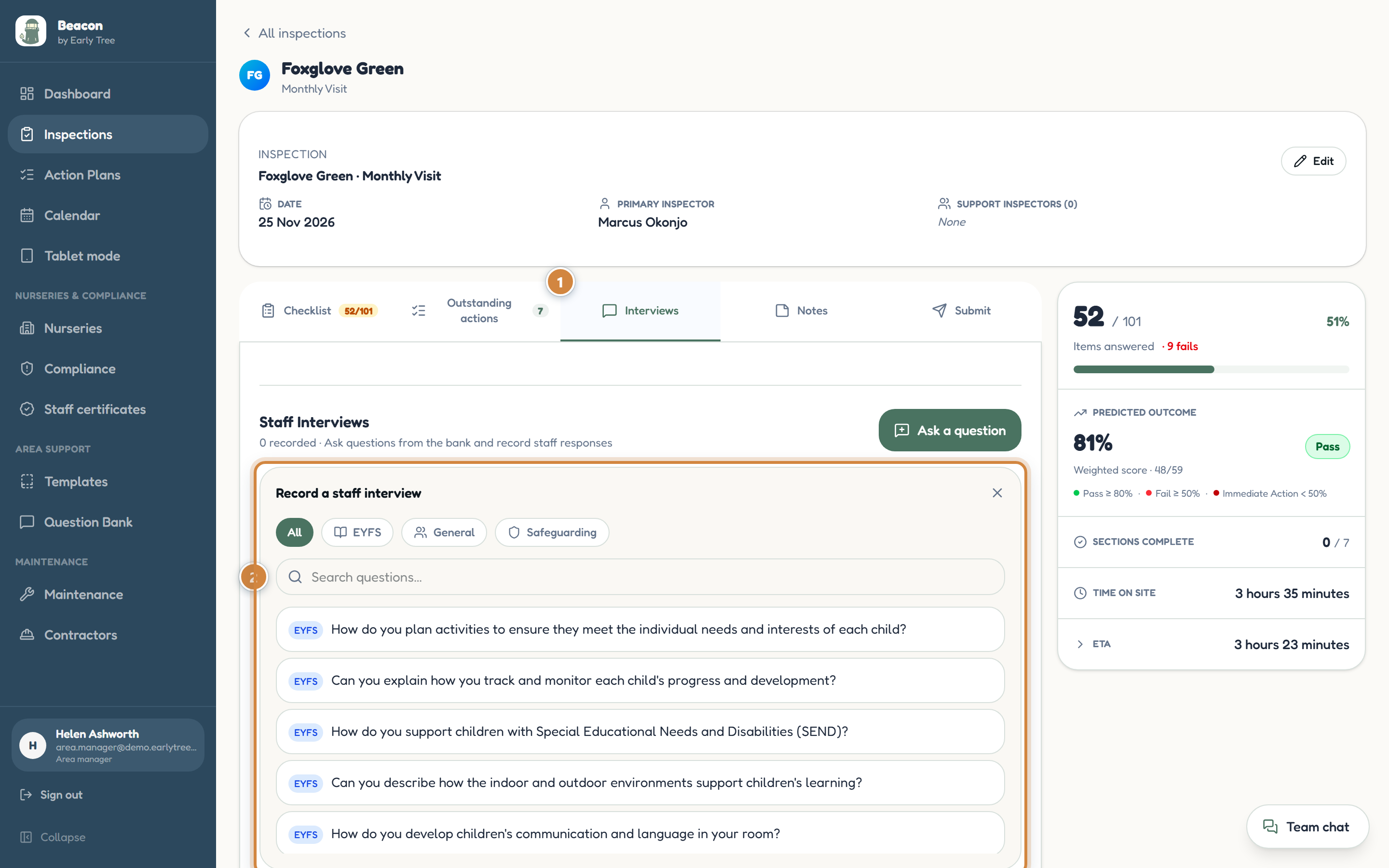
- On the inspection, select Interviews 1.
- Select Ask a question.
- Find the question: choose a category at the top, or search with Search questions… 2.
- Select the question. Any guidance for the interviewer is shown with it.
Record the answer
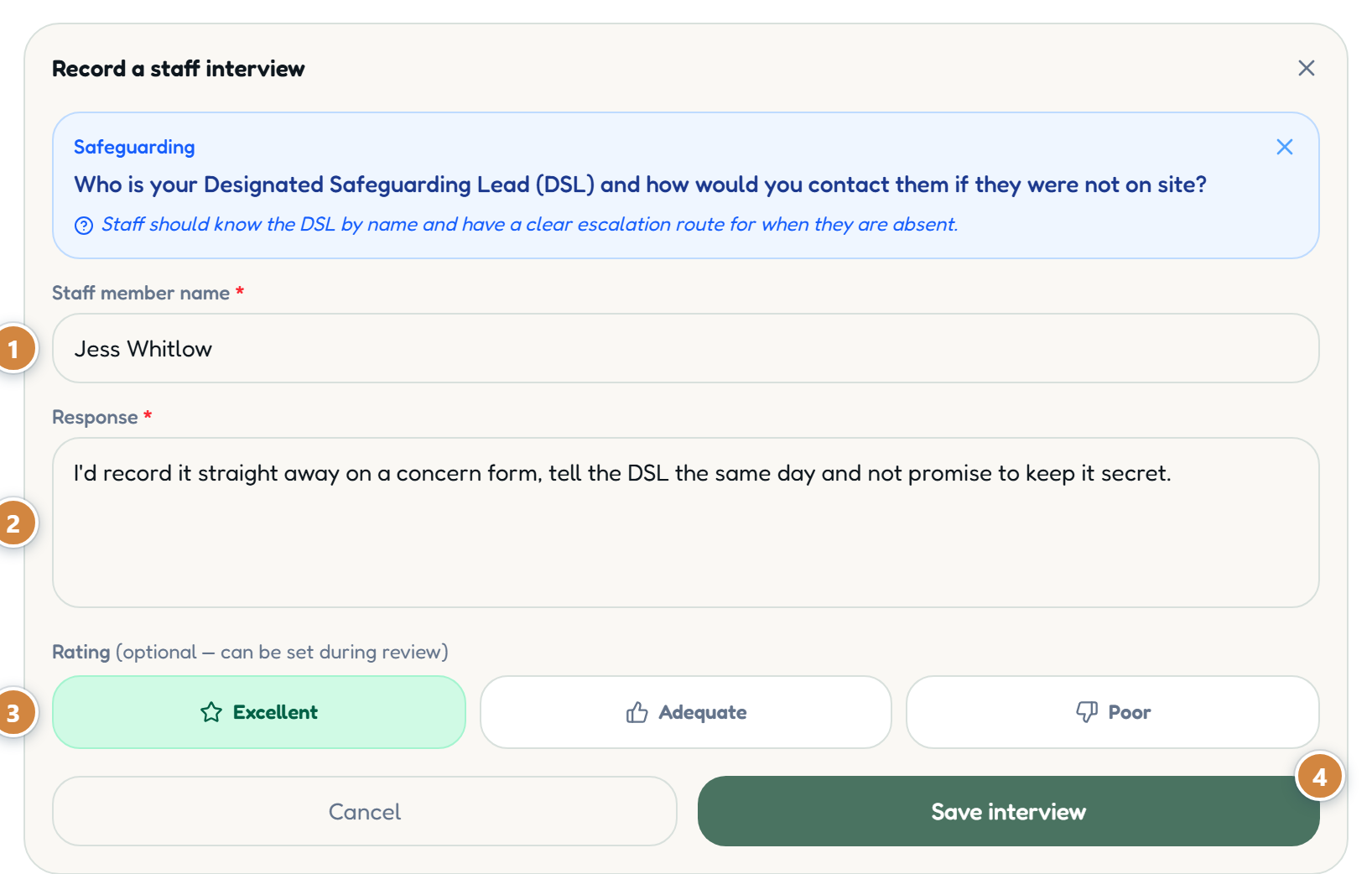
- Type the member of staff's name in Staff member name 1. Names you've already used on this visit are suggested as you type.
- Type what they said in Response 2.
- If you're ready to judge the answer, choose Excellent, Adequate or Poor 3. You can leave it unrated and rate it during the review.
- Select Save interview 4.
What you should see
Beacon shows Interview recorded, and the answer is listed under the member of staff's name, with its rating or Not yet rated. To ask the same person another question, select Ask another question under their name, so you don't retype it. The Interviews tab shows how many interviews you've recorded.
Ratings and the action plan
- Excellent: no action needed.
- Adequate or Poor: an action is added to the nursery's action plan when the inspection is submitted (or straight away, if it already has been). During review, the reviewer adds feedback explaining what was missing, which goes into the action.
To change a rating, open the interview and choose another under Rate this response. To delete one, select Remove.
Common problems
- "Please select a question, enter a staff name, and type the answer."
- All three are needed. The rating is optional.
- The question I want isn't in the bank.
- Ask an area support manager to add it to the question bank. See Templates.
- "Failed to save interview".
- Interviews need a connection. Copy the answer somewhere safe and save it again when you have a signal.