Inspections: inspection notes
Purpose
Jot down things that don't belong to a checklist item but the review team should know: who showed you round, something to follow up next time, context for a judgement. Notes are for the inspection team only; they don't go into the nursery's report.
Before you start
- The inspection is in progress.
- Don't put personal details about children or staff in a note unless the review needs them.
Add a note
- On the inspection, select Notes 1.
- Type the note in the box 2.
- Select Add Note 3. On a keyboard, Ctrl and Enter (⌘ and Enter on a Mac) does the same.
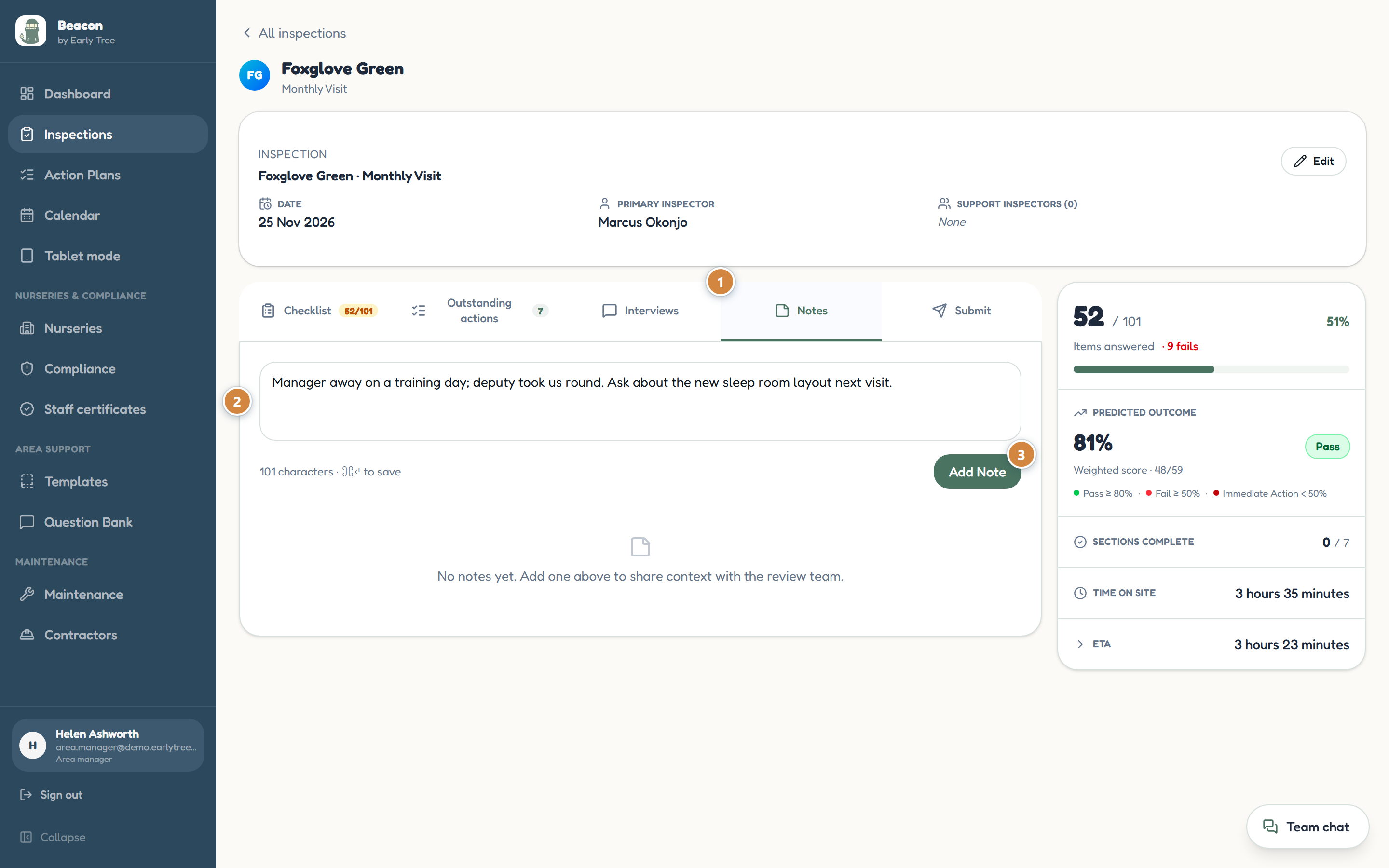
What you should see
The note appears in the list below with your name and the time, newest first, and the Notes tab shows how many notes there are. Use the pencil on your note to change it, or the bin to delete it.
Notes at review
After the inspection is submitted, notes can't be added or changed. Reviewers read them with the Notes button on the review page, and can turn a note into an action plan item or a maintenance job with Add to Action Plan or Add to Maintenance. See About review and sign-off.
Common problems
- "Failed to save note".
- Notes need a connection. Copy the text and add it again when you have a signal.
- I can't see the Notes tab.
- Only the main inspector, area support managers and area support leads see an inspection's notes.