Inspections: the inspections list
Purpose
Find a visit quickly and see where it has got to: planned, being carried out, being reviewed or signed off.
Before you start
- You can see inspections for the nurseries you've been given access to. Area support staff with group-wide access see every nursery.
- Area support managers, area support leads and read-only auditors see visits before they're signed off (auditors can only look). Everyone else sees signed-off reports only, in one list.
Open the list
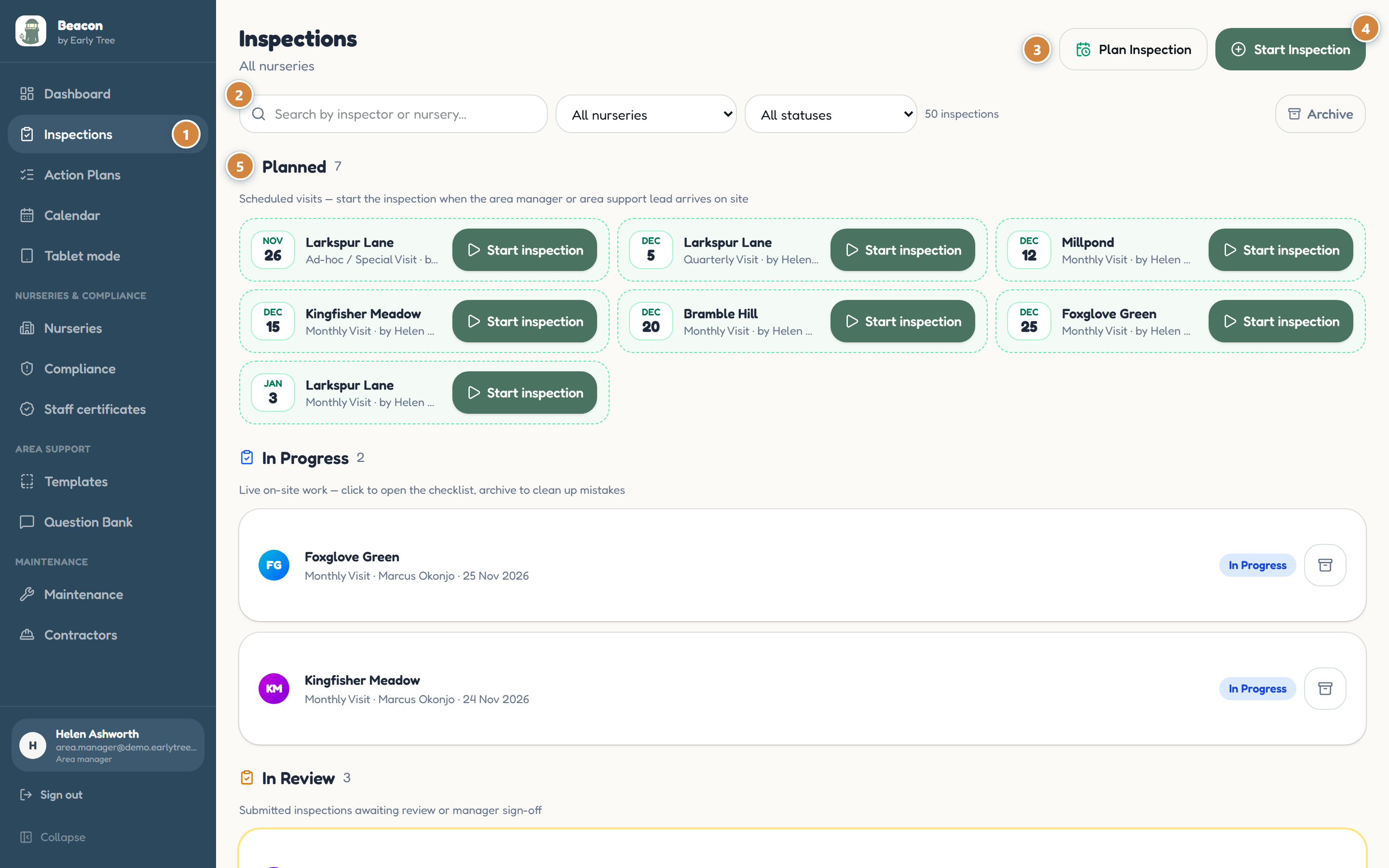
- In the menu, select Inspections 1.
- To find a visit, type an inspector's name or a nursery in the search box 2. You can also choose a nursery and a status from the lists next to it.
- Area support managers and leads see Plan Inspection 3 and Start Inspection 4 at the top. See Planning an inspection and Starting an inspection.
- Visits are grouped by stage, starting with Planned 5. Select a visit to open it.

The sections
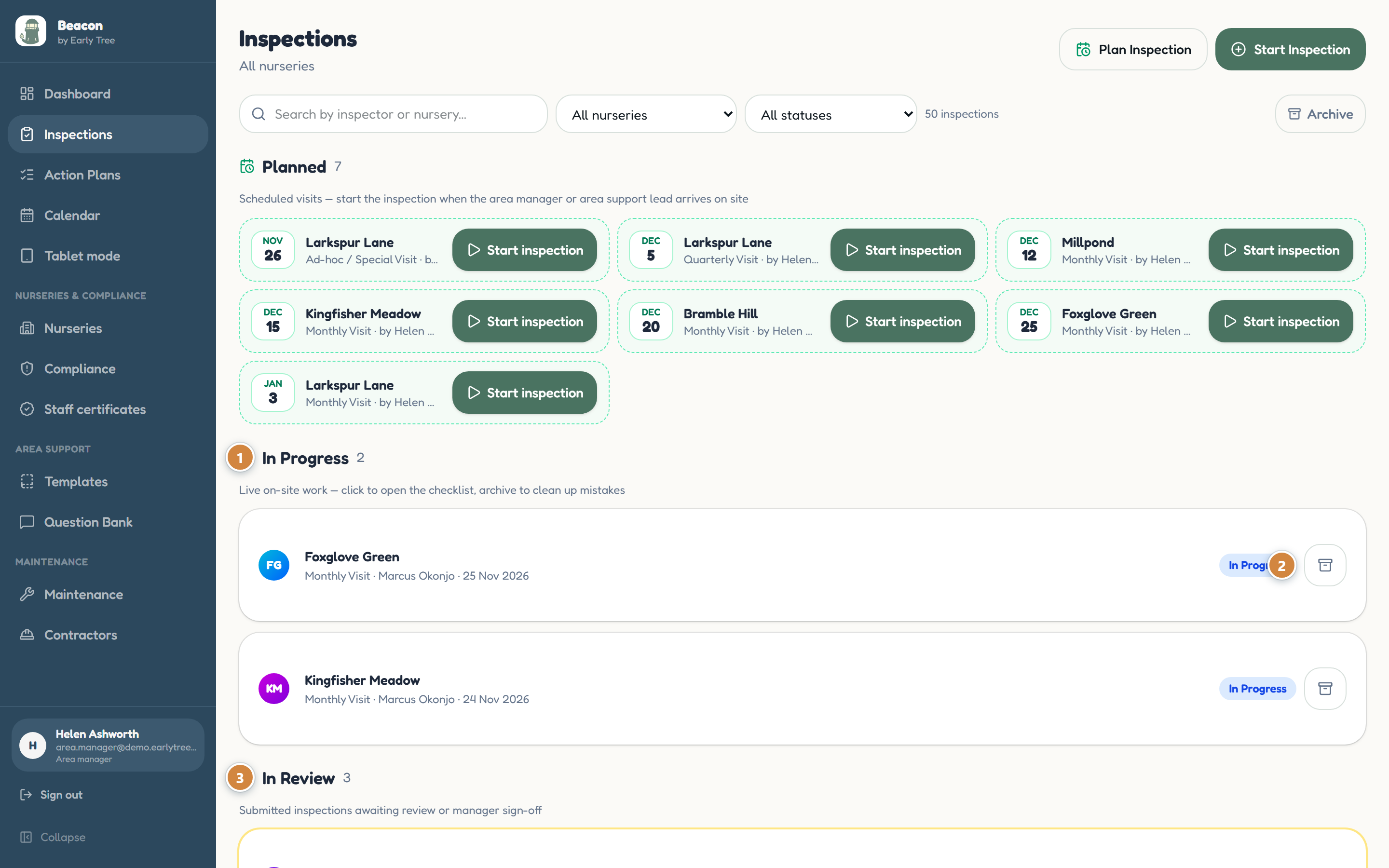
- Planned: visits with a date pencilled in. Start inspection starts the visit. A planned visit disappears from this list once a real inspection at the same nursery has started within seven days either side of its date.
- In Progress 1: visits being carried out now. Area support managers see an archive button 2 on each one, for visits started by mistake.
- In Review 3: submitted visits. The coloured label shows where the review has got to: Review Required, Under Review, Awaiting Approval or Rework Required. Rework Required visits are listed first.
- Signed off: finished reports, with their result and score. This section is split into pages; use the page numbers at the bottom.
What you should see
Choosing a nursery or a status changes the list straight away, and Filtering by: shows what you've chosen, with a cross to remove each one. When you filter by status, the list is no longer grouped into sections: it's one list, newest first.
Where a visit opens
What happens when you select a visit depends on its stage and your role:
- An inspection in progress opens its checklist (area support staff and the visit's main inspector only).
- An inspection in review opens the review page (area support managers and leads only).
- A signed-off inspection opens its report.
Common problems
- I can't see a visit a colleague is doing.
Only area support managers and leads see visits before they're signed off. If you're one of them, check the nursery and status filters, and clear the search box.
- There's no Plan Inspection or Start Inspection button.
- Only area support managers and leads can plan and start inspections.
- A planned visit has gone from the list.
An inspection at that nursery started within a week of the planned date, so Beacon treats the plan as done. It may still show on the dashboard.
- The list says "No inspections match these filters".
- Select the cross next to each filter under Filtering by: to clear them.