Review: rating staff interviews
Purpose
Confirm how well each member of staff answered, and explain what was missing from weak answers. Adequate and Poor answers become actions in the nursery's action plan, with your feedback in them, so the nursery knows what training or support to give.
Before you start
- The inspection has been submitted and you're reviewing it.
- Staff interviews were recorded on the visit (see Staff interviews).
Rate an answer
- On the review page, select Interviews 1. A number on the tab shows how many answers aren't rated yet.
- Answers are grouped by member of staff. Select one to open it and read the question and the answer.
- Choose a rating:
- Excellent: saved straight away.
- Adequate or Poor: a box opens for What was inadequate about this response?. Explain what was missing or wrong, then select Save rating & notes.
- To change your feedback later, select Edit feedback notes, then Update notes.
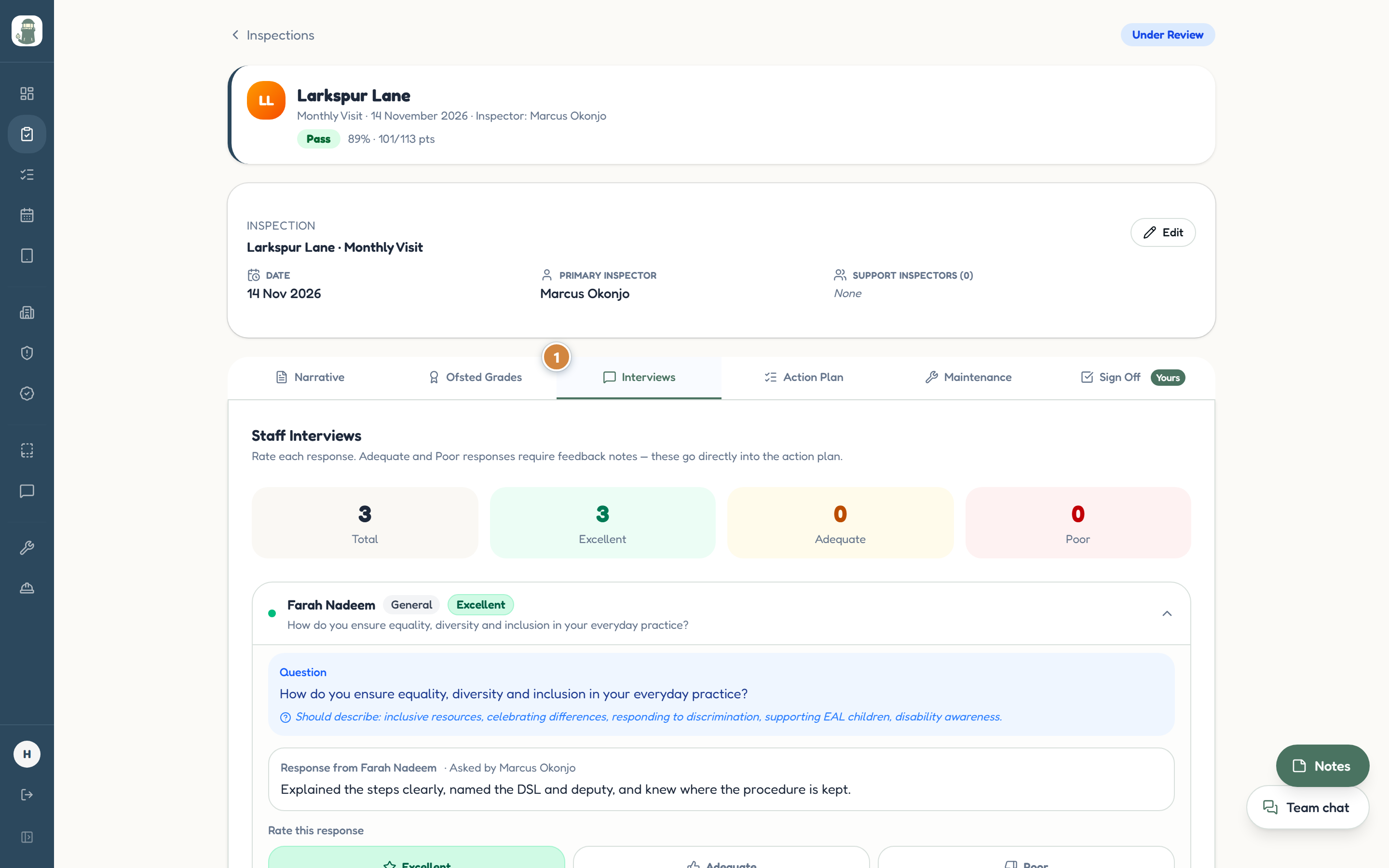
What you should see
Beacon shows Rating and feedback saved. (or Rating saved.). For Adequate and Poor answers, an action is added to the action plan with your feedback; you'll find it on the Action Plan tab.
Common problems
- "No staff interviews recorded".
- No interviews were recorded on the visit. They can only be recorded on the inspection itself, while it's in progress.
- "Please explain what was inadequate about this response."
- Adequate and Poor ratings need feedback. Type what was missing, then save.
- I can't change a rating.
- The report is locked: signed off, or awaiting manager approval if you're an area support lead.