Review: rework requested by the manager
Purpose
Make the changes an area support manager asked for, and send the review back for approval. Rework keeps the manager's feedback with the report, so it's clear what was asked for and what was done.
Before you start
- You submitted the review for manager approval, and the manager selected Request Rework.
- On the Inspections page the visit shows Rework Required and is listed at the top of In Review.
Make the changes
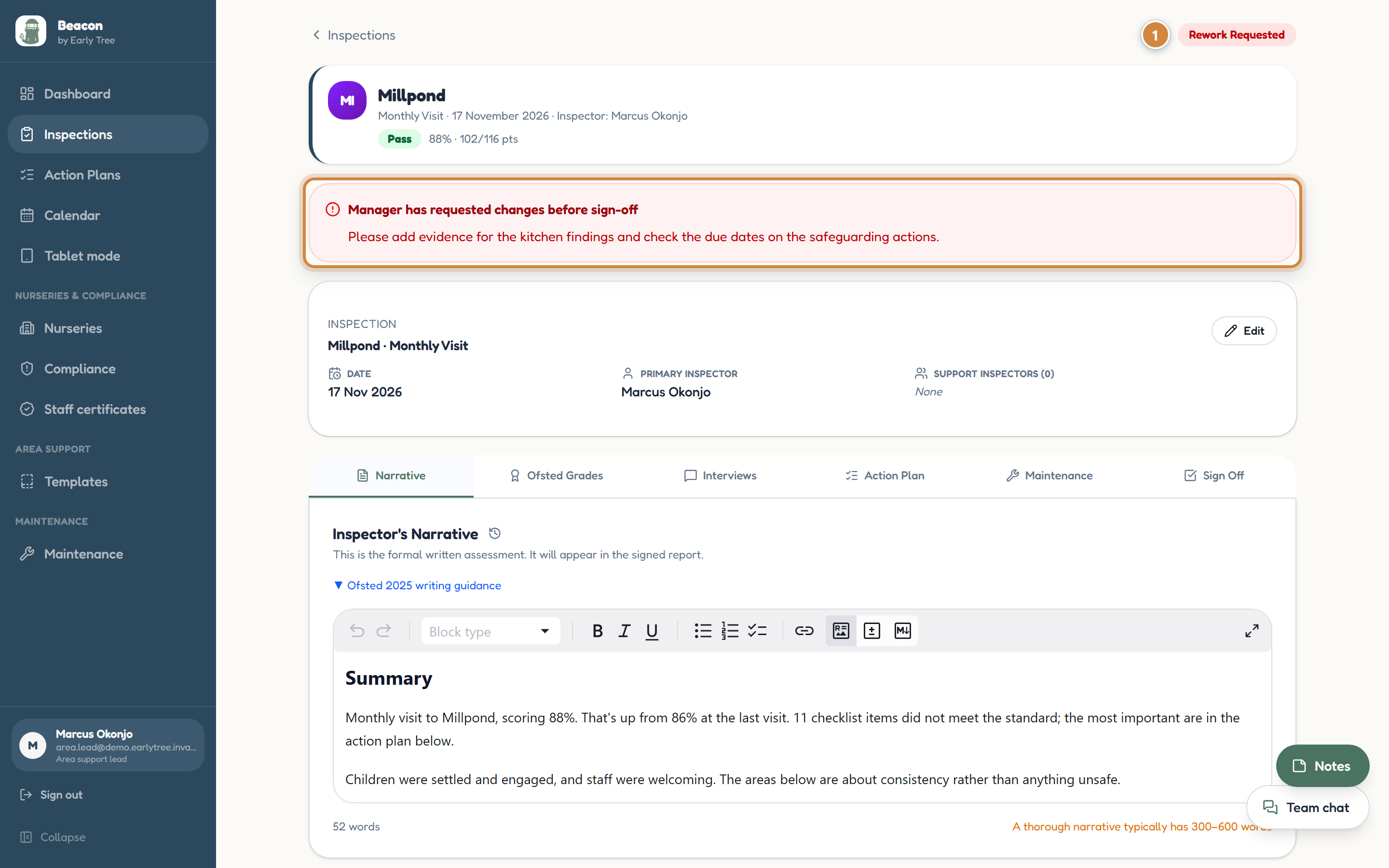
- Open the inspection from In Review. The status shows Rework Requested 1.
- Read Manager has requested changes before sign-off at the top of the page. It shows exactly what the manager wrote.
- Make the changes on the Narrative, Ofsted Grades, Interviews and Action Plan tabs. The report is unlocked for you again. The status stays Rework Requested while you work, so the manager's request stays on the page.
Resubmit for approval
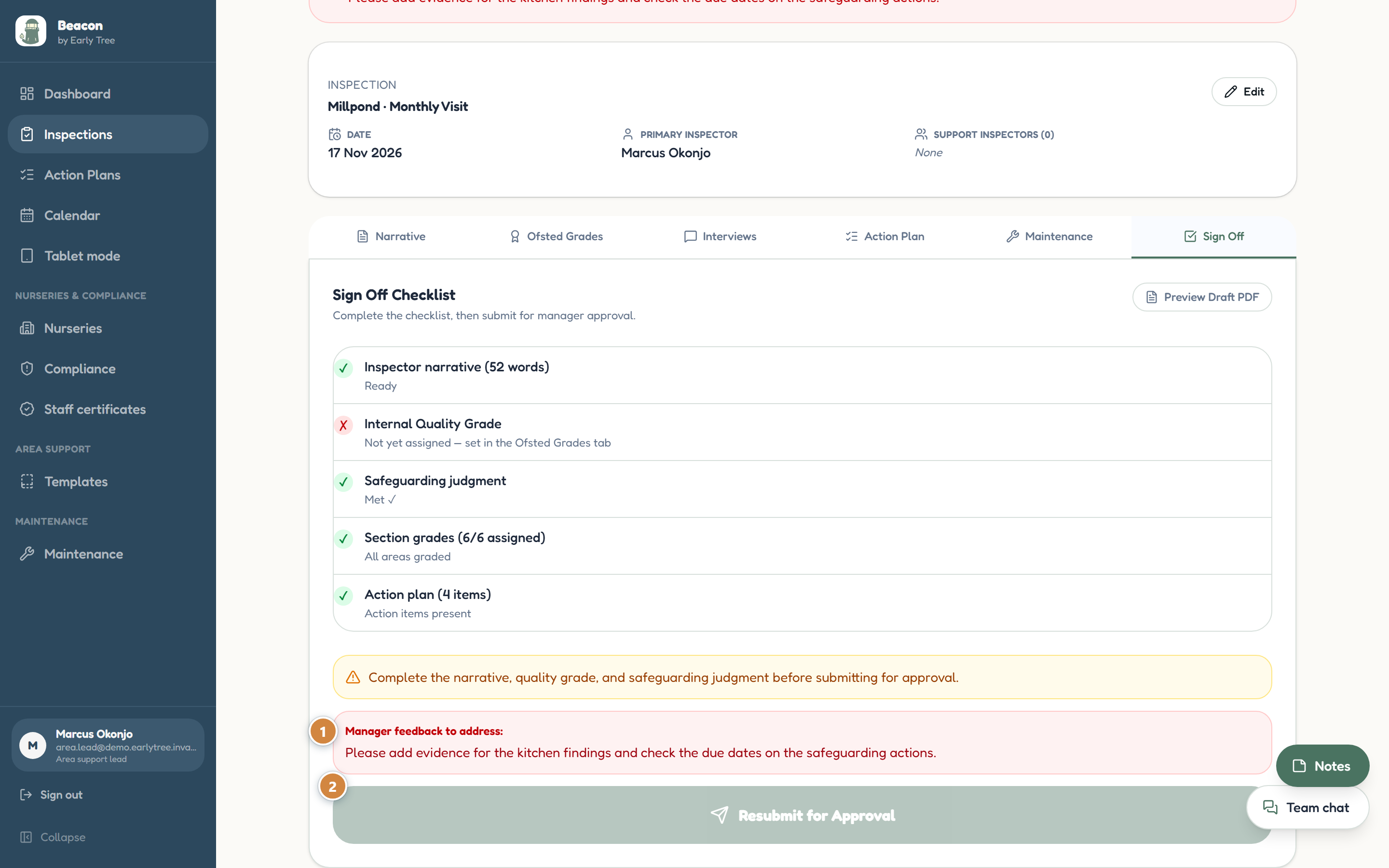
- Select Sign Off. The manager's request shows again under Manager feedback to address: 1.
- When you've dealt with everything, select Resubmit for Approval 2, then Resubmit to confirm.
What you should see
Beacon shows Submitted for manager approval, the status changes to Awaiting Manager Approval, and the report is locked for you until the manager approves it or asks for more changes.
Request rework (area support manager)
On a report Awaiting Manager Approval, select Sign Off, then Request Rework. Explain clearly in What needs to change? what the lead should update (narrative quality, missing grades, specific concerns) and select Send for Rework. Beacon shows Rework requested — Lead has been notified.
Common problems
- Resubmit for Approval is greyed out.
- The narrative, internal quality grade or safeguarding judgement is missing.
- "Report is not pending approval".
- Rework can only be requested on a report that's awaiting approval.