Nurseries: finding a nursery and reading its page
Purpose
See how a nursery is doing at a glance: its latest signed-off result, any review in progress, and every inspection there, with links to the reports.
Before you start
- You can see the nurseries you're assigned to. Area support can see them all.
Open the nurseries list
-
In the menu, under Nurseries & compliance, select Nurseries.
-
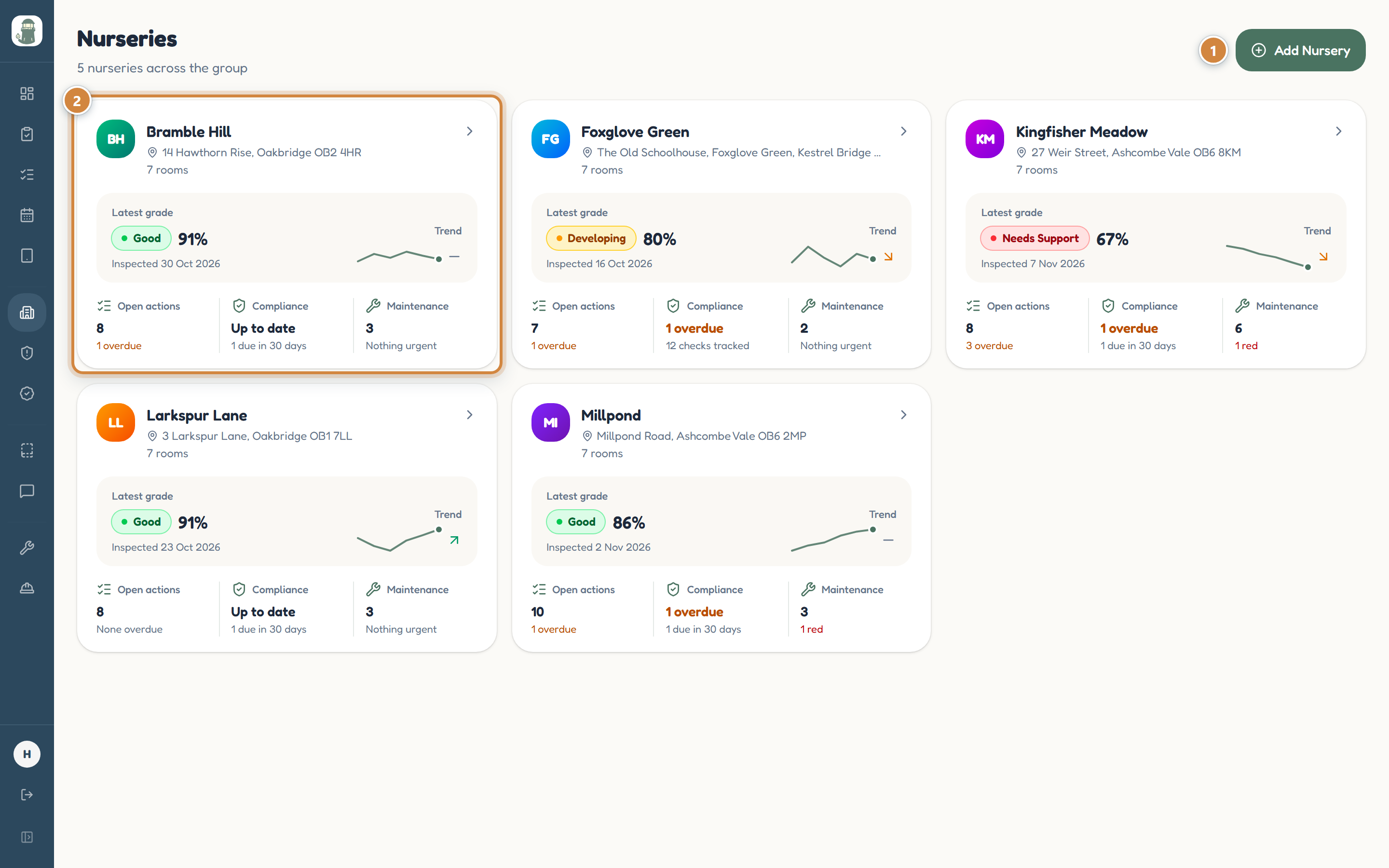
Each nursery has a card 2 with its name, address and number of rooms, and at a glance:
- Latest grade: the internal grade and score of its latest signed-off inspection, when it was, and a Trend line of recent scores (or First report);
- Open actions, and how many are overdue;
- Compliance: overdue premises checks, or Up to date;
- Maintenance: open jobs and how many are red (or No access if you can't see maintenance).
Inactive marks a nursery that's no longer in use.
-
Select a nursery to open its page.
Read a nursery's page
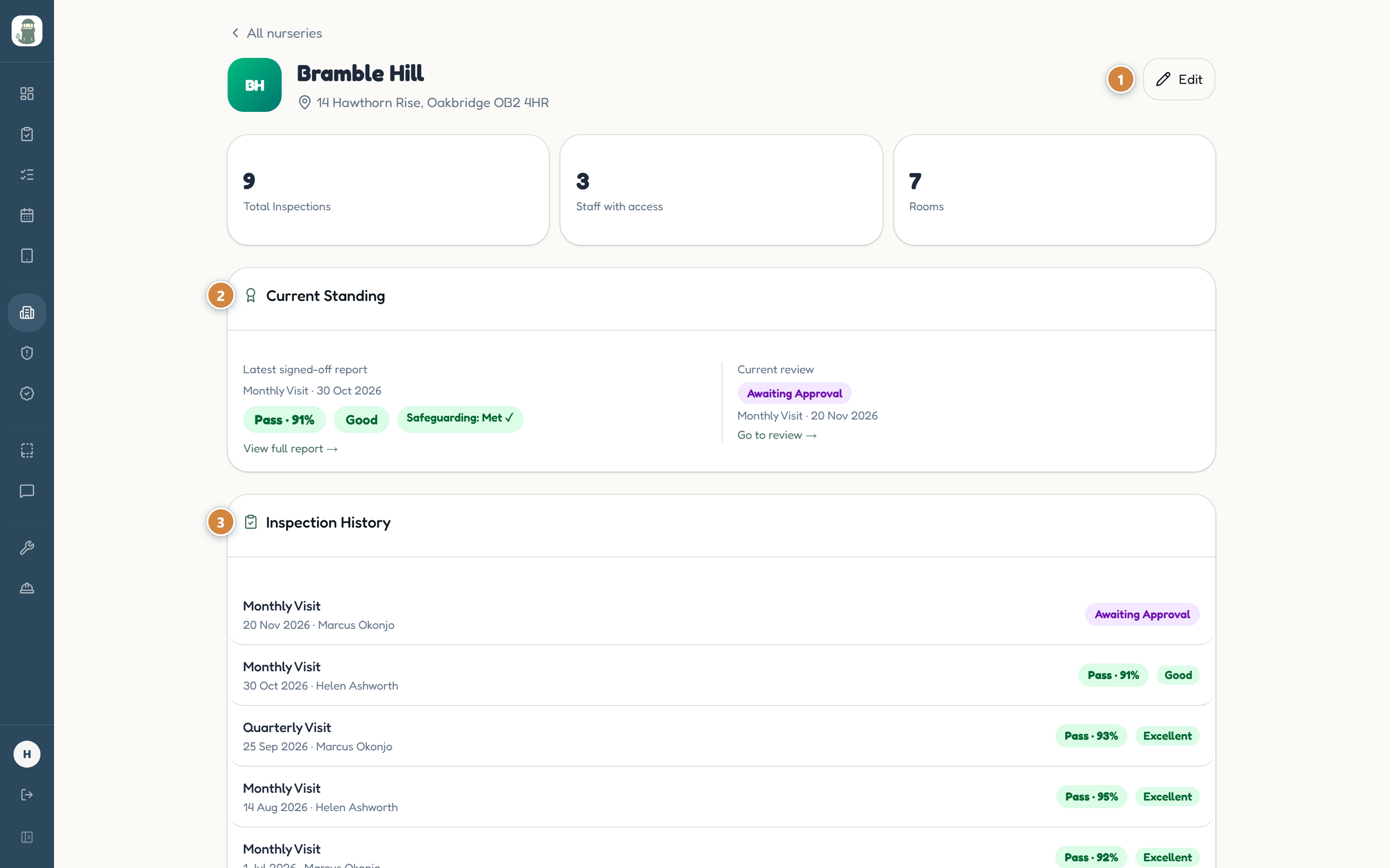
- The top of the page shows the nursery's photo or initials, name and address, how many inspections and rooms it has, and how many staff have access to it. Area support managers see Edit 1.
- Current Standing 2 shows the latest signed-off report: its result and score (such as Pass · 84%), the internal grade and the safeguarding judgement (Met or Not Met). Select View full report to open it. Area support also see any Current review with its status and Go to review.
- Inspection History 3 lists the last 20 inspections, newest first, with who carried them out and their result or review status. Select one to open it.
- Further down are the nursery's Site notes and Areas & Rooms.
What you should see
The nursery's page, with its latest signed-off result at the top. If you're not area support, you only see inspections whose reports have been signed off.
Common problems
- "No signed-off inspections yet."
- No report for this nursery has been signed off. Area support can still see inspections in review.
- The page says it can't be found.
- You're not assigned to that nursery. Ask your area support manager.
- An inspection shows "In progress".
- It has been started but not submitted yet. Only area support see it until its report is signed off.