Action plans: actions tracked on the maintenance list
Purpose
Some actions are building and repair jobs for the maintenance team rather than tasks for the nursery. So that the same job isn't tracked in two places, Beacon manages these on the maintenance list and hides them from the action plans board. This guide explains which actions that applies to and how they close.
Before you start
An action is tracked on the maintenance list when:
- it was raised from a maintenance note made during the inspection, so it already has a maintenance ticket; or
- it's in the Maintenance section and assigned to the Maintenance Manager role on a signed-off report. Beacon raises a maintenance ticket for it automatically (once a day).
Maintenance-section actions owned by the nursery itself (for example, assigned to the nursery manager) stay on the action plans board.
See the actions tracked on the maintenance list
- In the menu, select Action Plans, then Maintenance items. The board now shows only the actions tracked on the maintenance list, with a blue note at the top.
- Each of these cards has a Mnt badge 2. Open one and select Maintenance to open its ticket in a new tab.
- Select Back to action plan 1 to return to the normal board.
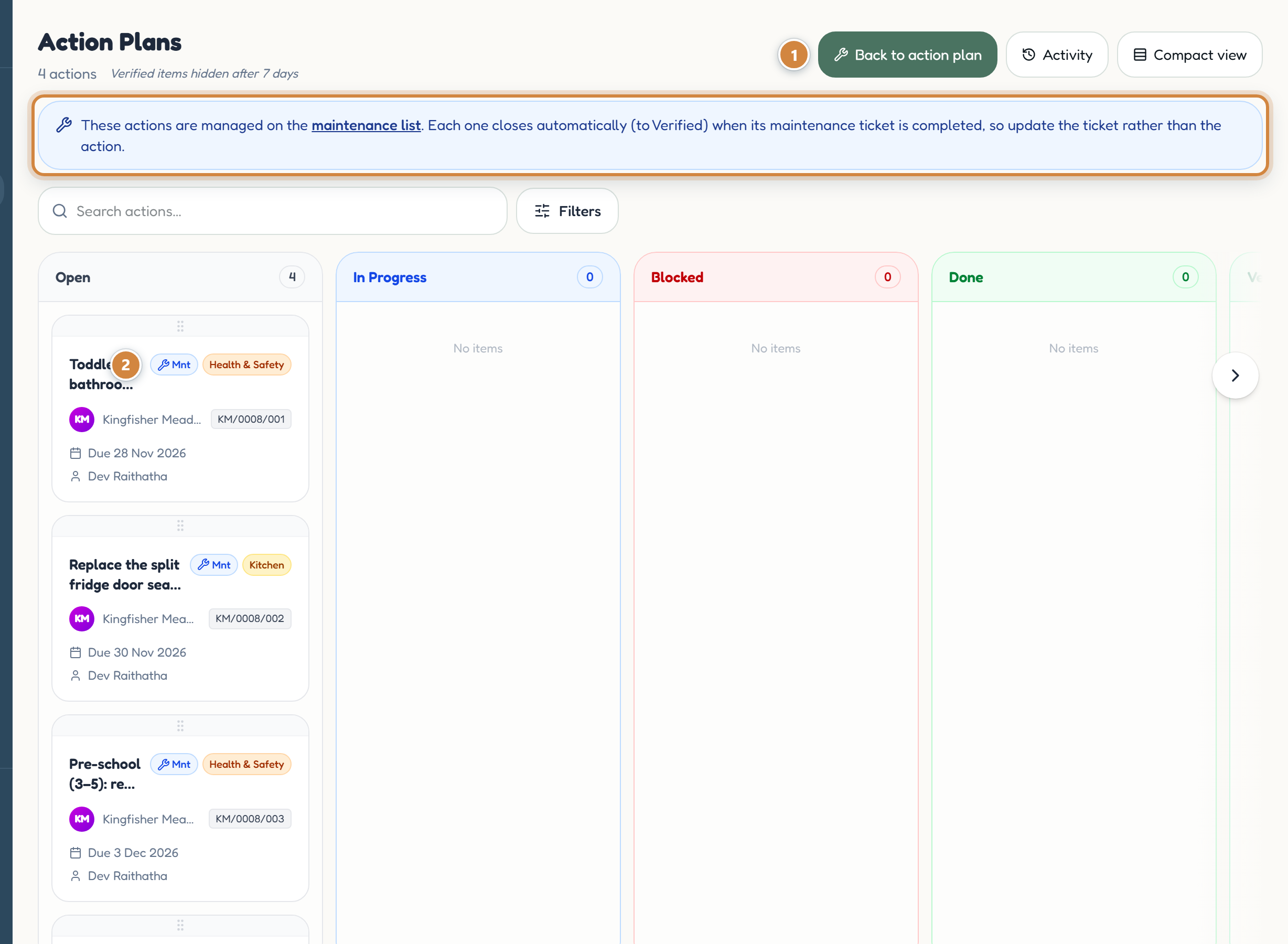
What you should see
Each action closes by itself: when its maintenance ticket is completed, the action moves to Verified. If the ticket is reopened, the action is reopened too. So update the ticket, not the action.
Common problems
- A maintenance action has disappeared from the board.
It's now tracked on the maintenance list. Select Maintenance items to see it, or find its ticket under Maintenance.
- The ticket is finished but the action is still open.
The ticket has to reach Completed. Beacon also checks once a day and closes any it missed.