Templates: the staff question bank
Purpose
During a visit, inspectors talk to staff to check their understanding of safeguarding, the EYFS and everyday practice. The question bank is the list they choose from, each with guidance on what a good answer includes, so every inspector asks consistent, well-judged questions.
Before you start
- You're an area support manager. (Area support leads see Question Bank in the menu but are sent back to the dashboard.)
Look through the question bank
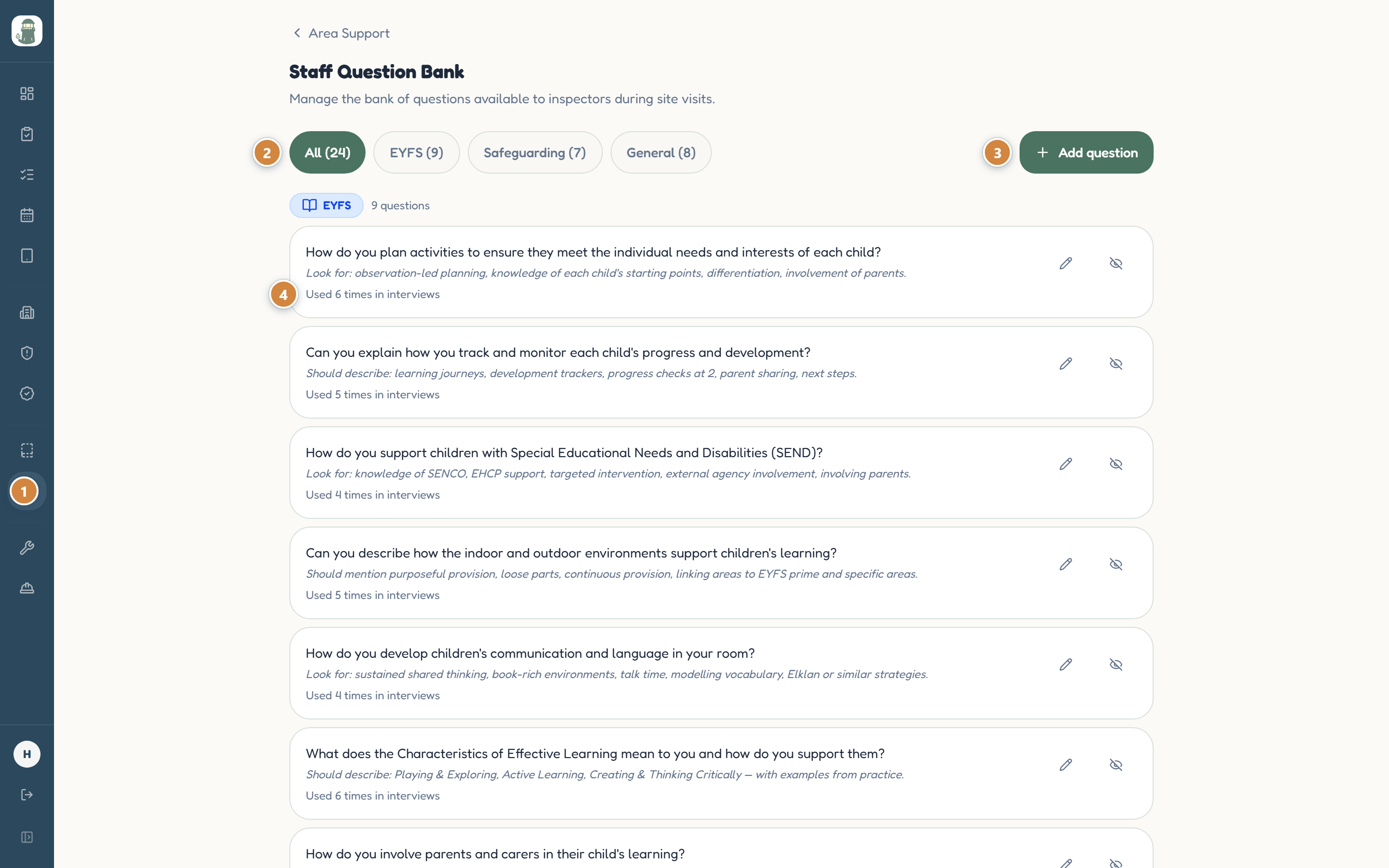
- In the menu, under Area Support, select Question Bank 1.
- Use the tabs 2 to show All, or only EYFS, Safeguarding or General questions.
- Each question shows its guidance and how many times it has been used in interviews 4.
Add a question
- Select Add question 3.
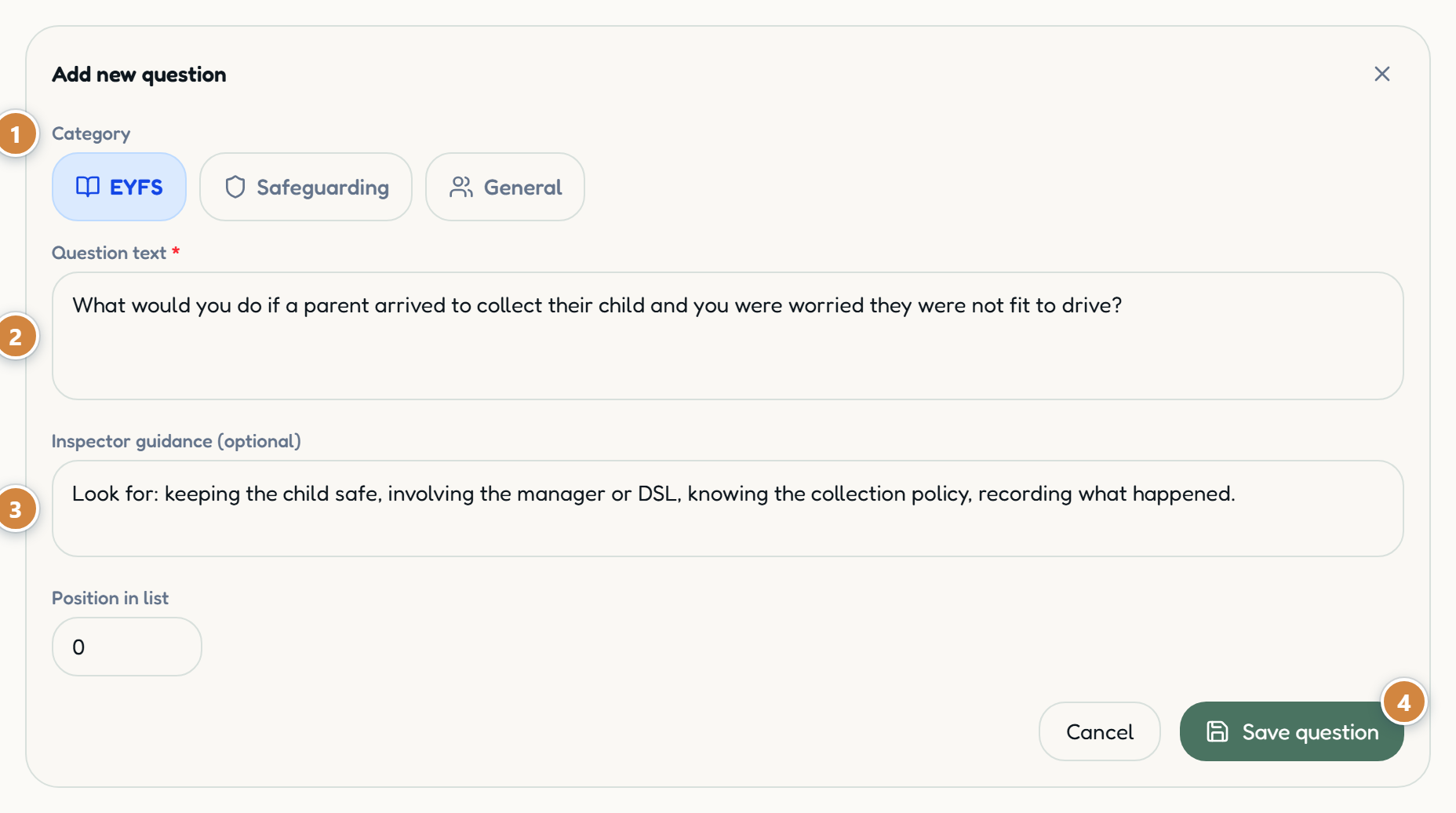
- Choose the Category 1: EYFS, Safeguarding or General.
- Type the Question text 2, as you'd ask it.
- Under Inspector guidance (optional) 3, say what to look for in the answer.
- Set the Position in list (lower numbers come first in their category).
- Select Save question 4.
Edit or switch off a question
- Select the pencil on a question to change it, then Save.
- Select the eye on a question (Hide question) to switch it off, so it's no longer offered to inspectors, or Show question to switch it back on. Questions that have been used are kept with the interviews they were asked in, so switch a question off rather than rewriting it into a different question.
What you should see
Question added, Question updated, or Question activated / Question deactivated appears, and the list updates.
Common problems
- "Question text required".
- Type the question before saving.
- I'm an area support lead and the page sends me to the dashboard.
- Only area support managers can manage the question bank in this release.