Compliance: staff certificates
Purpose
Know at a glance that you have enough paediatric first aiders and that everyone's safeguarding, food hygiene and other training is in date, and renew certificates before they lapse. Certificates that expire within 60 days are flagged.
The certificates Beacon knows about, and how long each lasts by default:
| Certificate | Default validity |
|---|---|
| Paediatric First Aid (12-hour) | 3 years |
| Emergency Paediatric First Aid (6-hour) | 3 years |
| Enhanced DBS check | No expiry |
| Safeguarding training | 2 years |
| Designated Safeguarding Lead training | 2 years |
| Food hygiene (Level 2) | 3 years |
| Fire marshal / warden | 3 years |
| SENCo training | No expiry |
There are also Early years Level 3 qualification and Other. Defaults are only there for convenience: always use the expiry date on the certificate.
Before you start
- You're the nursery's manager, or area support.
- Have the certificate: who it's for, the issue date, the expiry date and its reference number.
Add a certificate
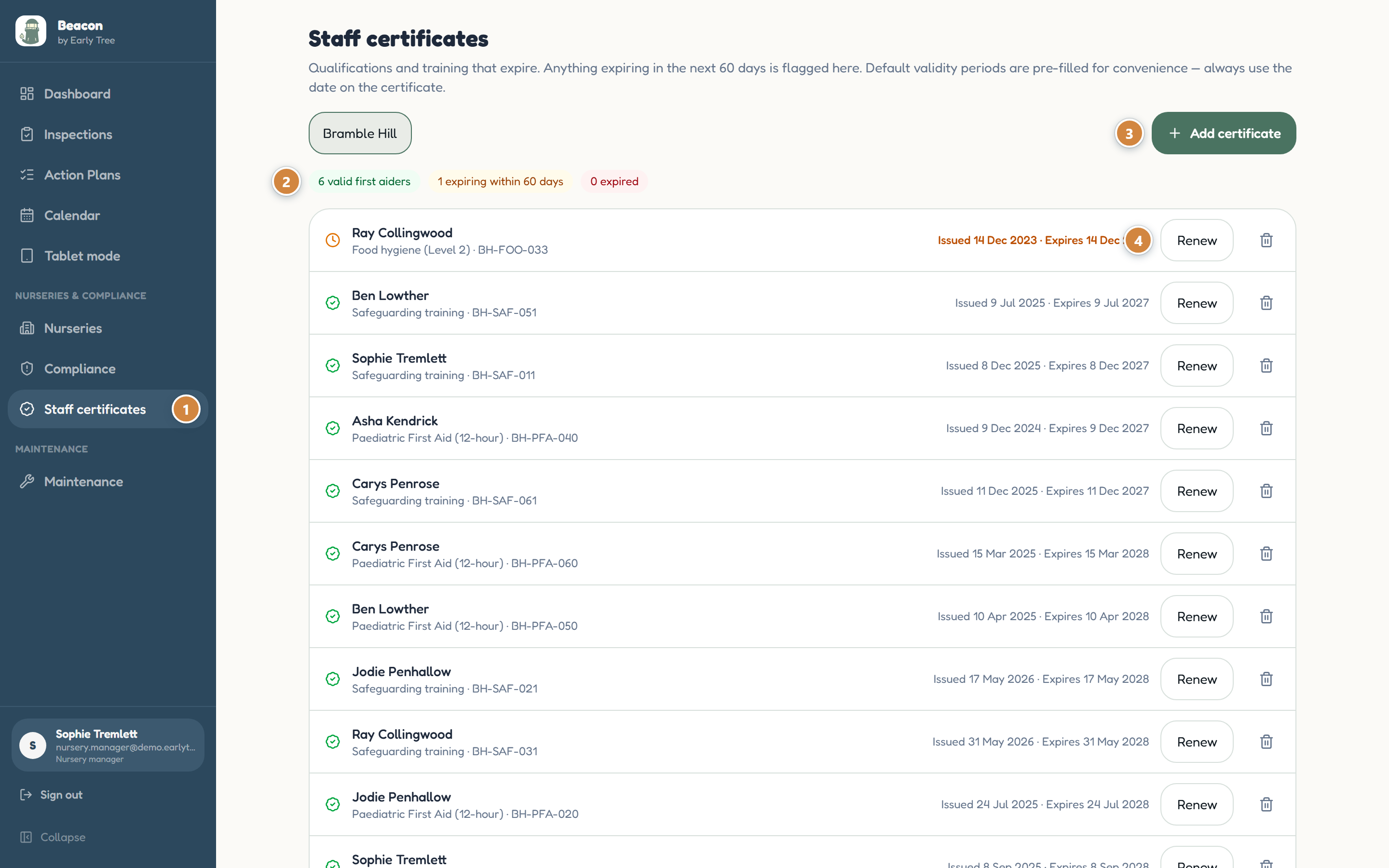
- In the menu, under Nurseries & compliance, select Staff certificates 1. If you look after more than one nursery, choose the nursery at the top.
- The counts 2 show how many valid first aiders there are, how many certificates expire within 60 days and how many have expired.
- Select Add certificate 3. The Add a certificate window opens.
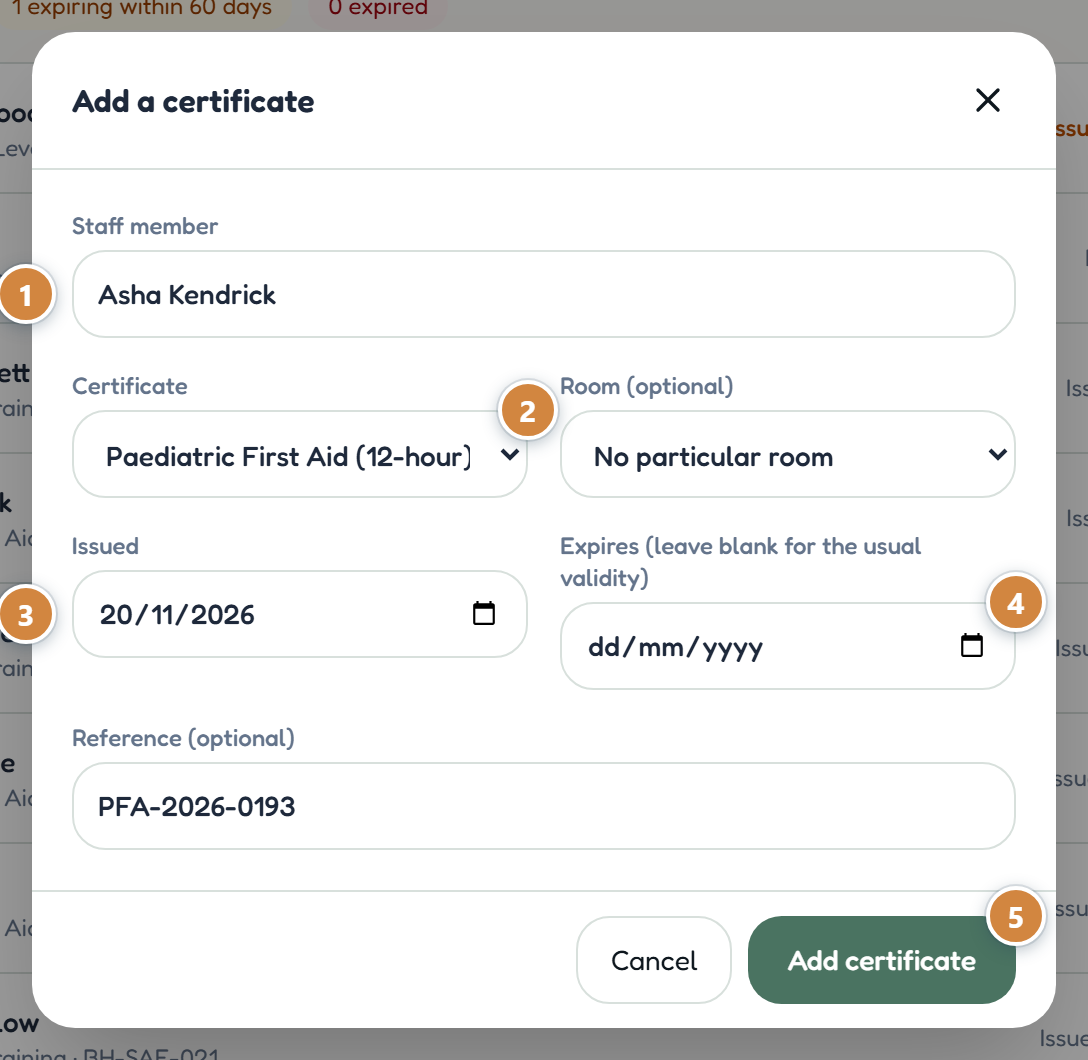
- Type the Staff member's name 1 and choose the Certificate type 2.
- Choose a Room (optional) if it helps (for example, which room a first aider works in).
- Enter the Issued date 3, and the expiry date from the certificate under Expires 4. Leave it blank to use the usual validity.
- Type the certificate's Reference (optional) and select Add certificate 5.
Renew a certificate
- Find the certificate. A green tick means it's in date, an amber clock means it expires within 60 days, and red means it has expired.
- Select Renew (4 on the first picture).
- Enter the New issue date 1 and the New expiry 2 (leave it blank for the default), then select Save.

What you should see
Certificate added or Certificate updated appears, and the list and counts update.
Remove a certificate
Select the bin next to a certificate to remove it, for example when someone leaves. Beacon asks Remove this certificate?; select Remove to confirm. Certificate removed appears, and it no longer counts towards first aid cover or expiry alerts.
Common problems
- "Staff certificates are managed by Area Support and each nursery's manager."
- Your role can't see certificates. Ask your nursery manager.
- Add certificate is greyed out.
- Type the staff member's name and the issued date first.
- Do staff get reminders?
Where your organisation has email switched on, each nursery manager is emailed on Mondays about anything at their nursery that has expired or expires in the next 60 days. This doesn't need Nina. Otherwise, check the amber and red certificates here regularly.